Support me
If you enjoyed this program and would like to support my future work, you can do so here:
Patreon
Description
Have you ever faced a situation during a large project where you needed to solve a problem you had already tackled before? In such cases, you usually end up searching through thousands of lines of code, trying to locate the relevant snippet. This app aims to provide a solution to that issue. With its help, you can save your code snippets to a local MongoDB database and perform quick searches to find them when needed. If you're learning to program, it's also useful for making notes.
News in this version
- Nice WPF window design
- Introduce Rich Text format to edit code snippets.
- Gzip compression to save storage space
- Backup / Restore feature
Preparations Before Installation
To use the app you need to have a MongoDb server installed. Before you run the app make sure that MongoDb is
installed, and running on your system, otherwise the app will not work.
You can download the installer and find installation instructions here:
MongoDb Community Server
Download
Installation
You can install the app either via the installer or by compiling the code yourself after downloading it. In both
cases, you'll need .NET to run the application, which can be downloaded from Microsoft's website:
.NET Download
Once
installed, you can launch the program using the desktop shortcut.
The installer is available for download here:
Snippet Store Setup Download
Before you unpack the installer, check one of the checksums below.
If you see a discrepancy in the checksum, DO NOT install the program because it means the downloaded file has been manipulated. In this case please report the discrepancy using one of the contact details below.
License
The program is free to use.
Checksum (setup.zip)
Algorithm : SHA256
Hash : 45CE692D7831FE1D6C6565ECC89753EA69BEAAC0E8A5061DE4067B6DA725C732
Algorithm : SHA1
Hash : 5BA6DAD61E5524068BE3AE7745387D3D787D7882
Algorithm : SHA512
Hash :
87D93163D528B1BA4F1F402AAF8A057522E9BE2C69341CA7F752E30F5F46B5C82B2E00F1109F6B7AA9E94F4A0ADAAF6EE63CAE87675AFFF6D57EE47043A617C6
Algorithm : MD5
Hash : 3E1EB958FAE0AE0328A70AA427E42ADC
Main interface
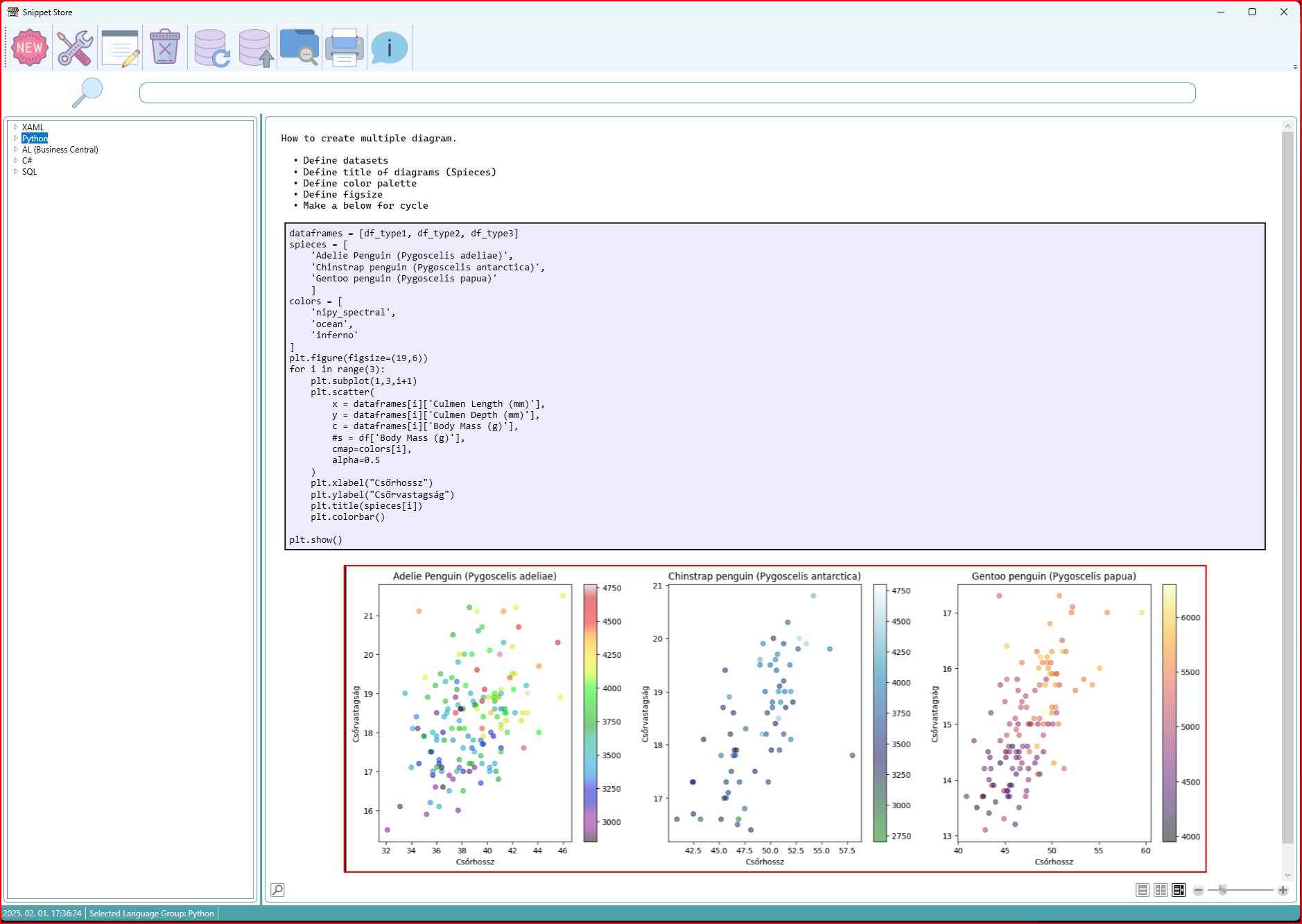
The toolbar buttons provide the following functionalities:
- Add a new snippet
- Settings
- Edit snippet
- Delete snippet
- Create backup
- Restore backup
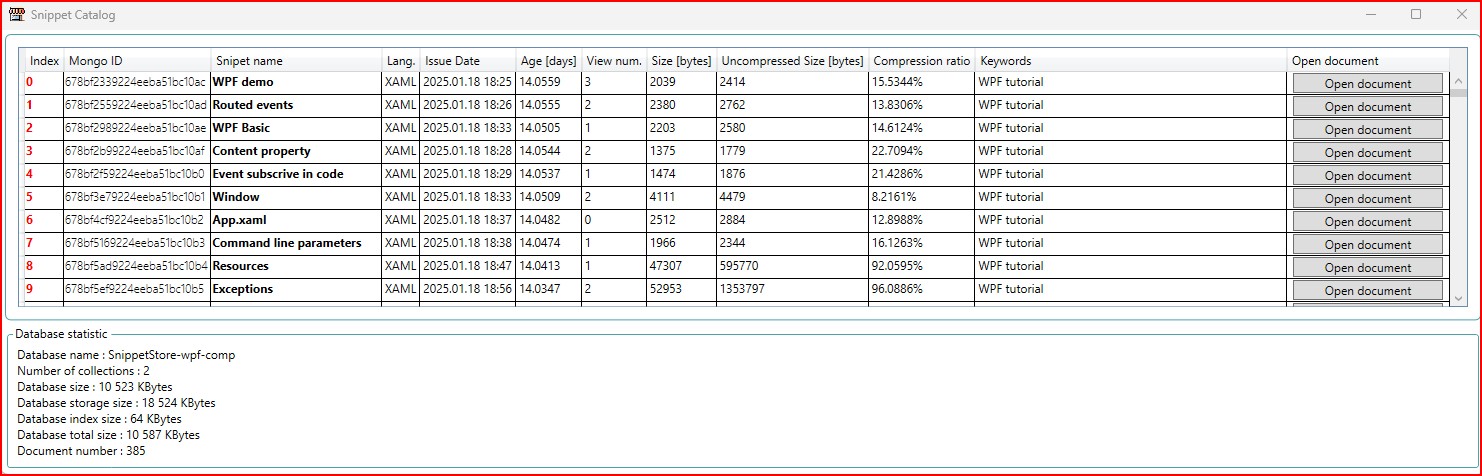
- Browse snippet catalog
- Print snippet
- About
Settings
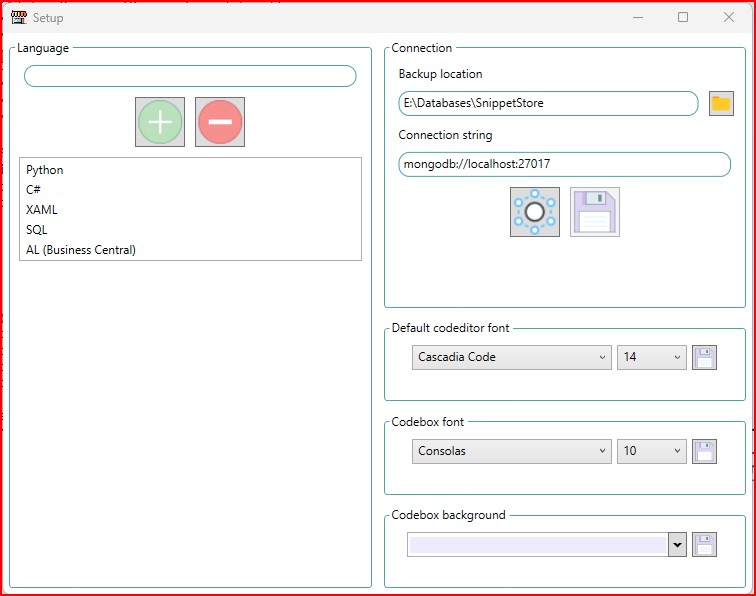
Backup location
Specify a directory where the backup will be made by the app.
Connection Setup
If you want to change the database connection you can enter the new connection string in the connection section.
The connection must be tested before it is saved, this can be saved by clicking on the Test connection button
(next to the floppy). The save button will only be active after a successful test.
You can also set the default font for the editor and code box and the background colour of the code box.
Adding Snippets
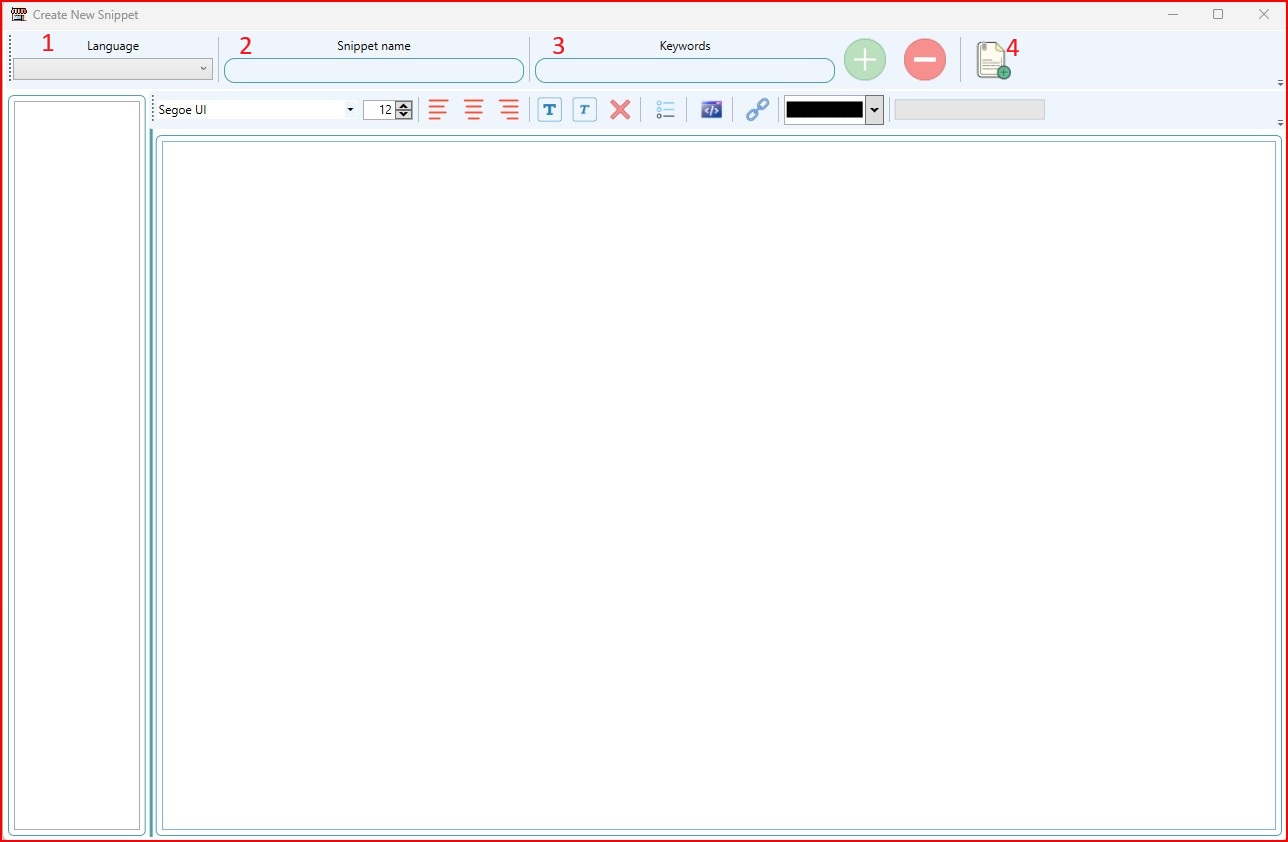
- Select a programming language from the list (these are the languages you added in the settings).
- Give the snippet a name.
- Add keywords using the + button, to remove use - button.
- Paste your code, format the text and click "Add snippet to Database" to save.

Formatting text
Change font type

Alignment

Font style

Create a list

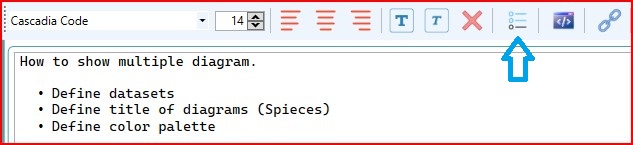
Create a codebox
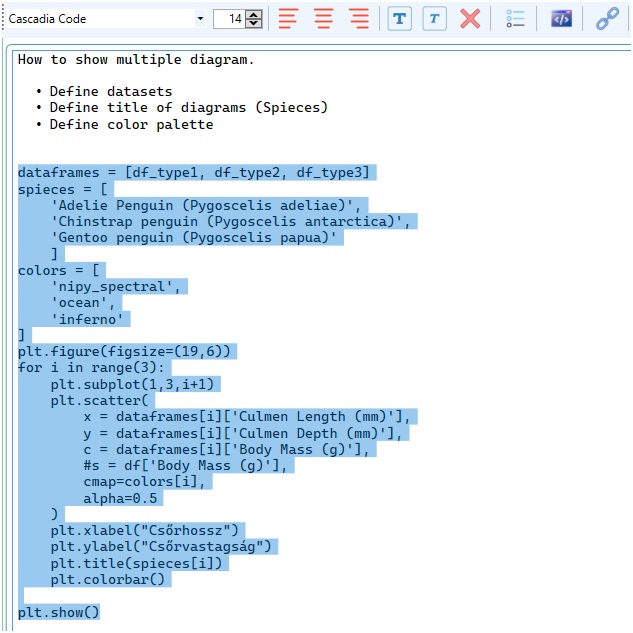
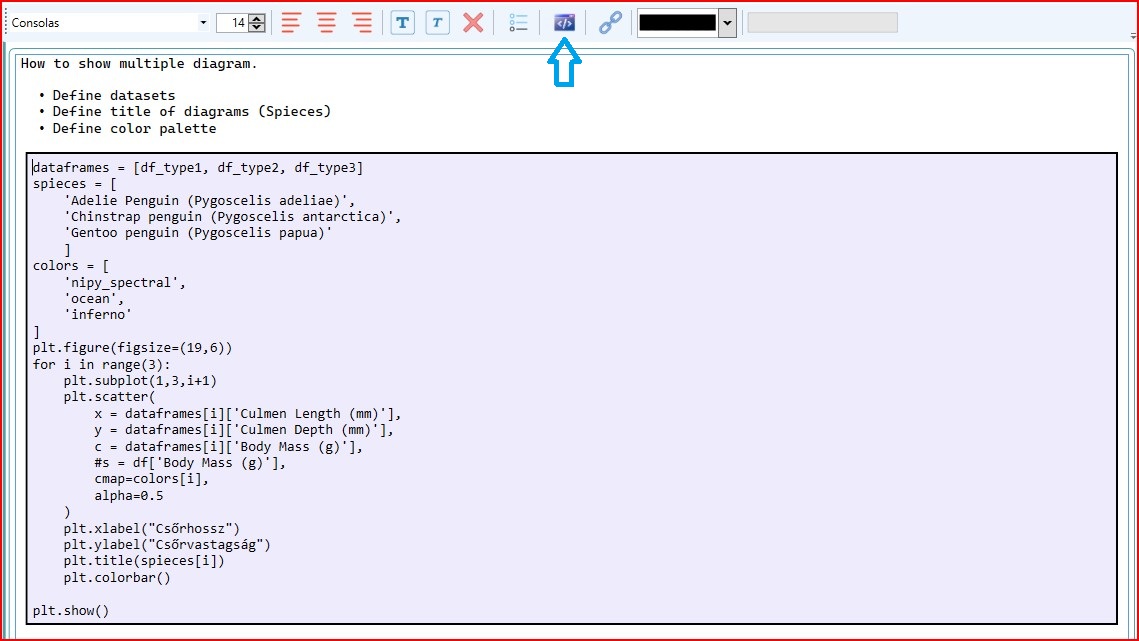
Create a link


Change font color


Insert picture
If you want to paste an image from the clipboard, you can paste it with CTRL-V. When pasting images, make sure
that there is a blank line after the images if you want to edit them after pasting.
Inserting images significantly increases the size of the document. To save space, the document is saved compressed
in the database, but MongoDb has a special feature that only 16MB can be saved in a document, so an indicator
shows how much space is available in the document.

Search

Document reader
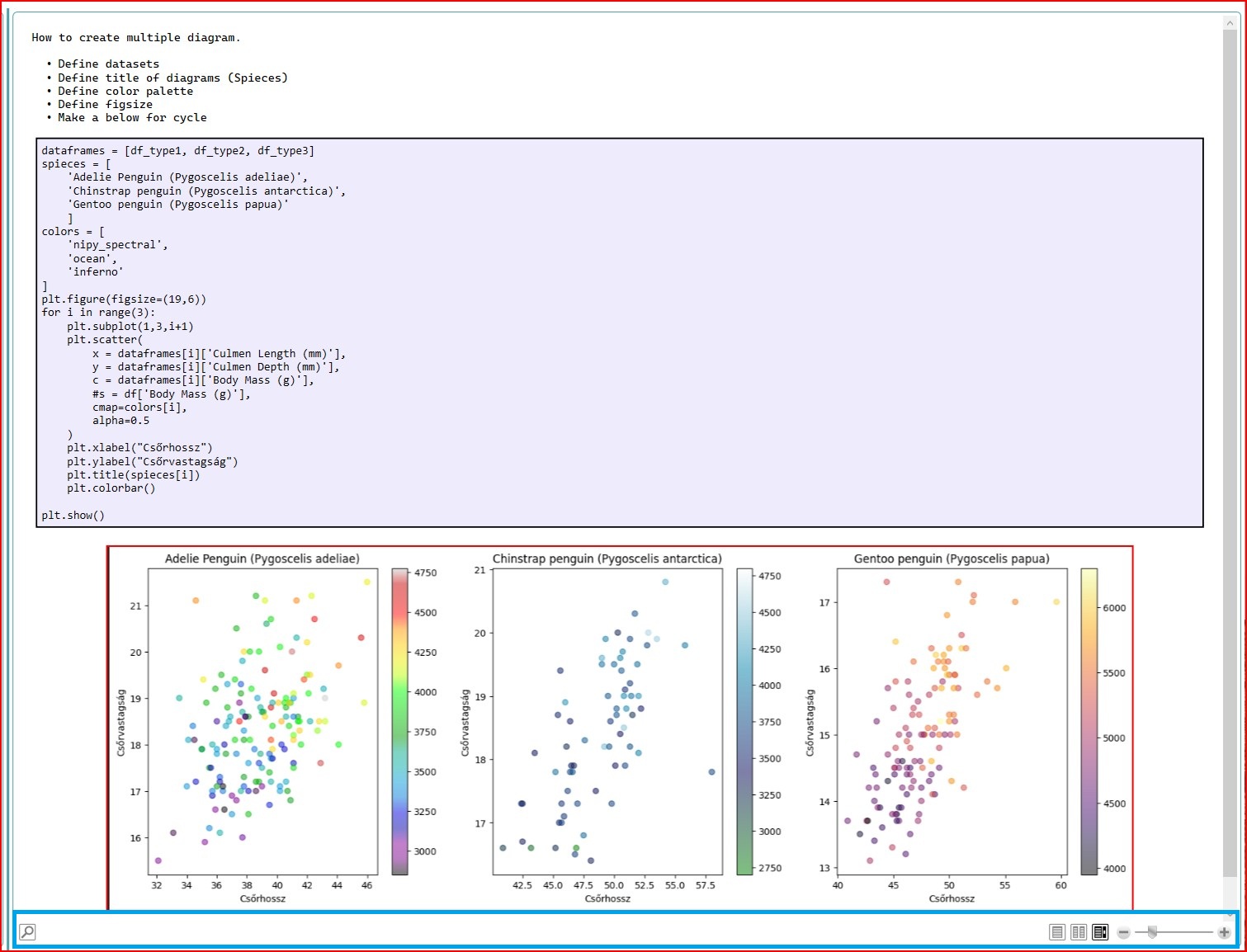
Edit selected snippet

Delete snippet

Backup

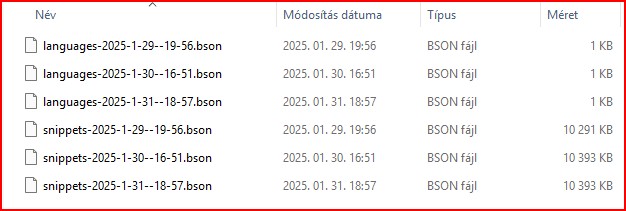
Restore

When you restore the data, the entire original database will be deleted!
Browse

Support me
If you enjoyed this program and would like to support my future work, you can do so here:
Patreon